How do you write a teleprompter script that sounds natural?
Write a conversational teleprompter script with direct answers, spoken phrasing, short thought-sized sections, realistic timing, and a repeatable editing process.
To write a teleprompter script that sounds natural, write for one listener, use the words you actually say, keep each sentence focused on one thought, and read every draft aloud. Then format the script into short sections with visible pauses so you can understand each phrase before you speak it.
How do you write a teleprompter script that sounds natural?
- Define the one thing the viewer should understand or do.
- Say the idea aloud before polishing the wording.
- Write to one person using conversational language.
- Split long sentences into one-thought phrases.
- Add pauses, pronunciation help, and delivery cues sparingly.
- Read the complete script at recording pace and revise every stumble.
The University of Florida's teleprompter guidance recommends a conversational tone and reading the script aloud to check its flow. That simple read-aloud pass is more useful than judging the draft silently because it exposes wording that looks correct but is awkward to perform.
Start with the answer, not an introduction about the answer
Viewers should understand the topic in the first few lines. State the result, problem, or promise directly, then explain why it matters. Remove greetings and scene-setting that delay the useful information unless they serve the audience or format.
| Slow opening | Direct opening |
|---|---|
| Hi everyone, welcome back. In today's video, I wanted to take some time to talk about a question that many people have asked. | You can read a script on your iPhone while recording. Here's the setup that keeps your eyes near the lens. |
Write for one listener
Picture one specific person who needs the answer. Use “you” when giving a step and “I” when sharing your own experience. This creates a clearer voice than addressing an abstract crowd with phrases such as “all users” or “interested individuals.”
Use contractions if they match the way you speak. “You'll see the result” often sounds more conversational than “you will observe the result.” Keep technical terms that the audience needs, but explain them in ordinary language the first time.
Build the script from spoken thoughts
Record yourself explaining the topic without a script, or say each section aloud before writing it. Notice your natural vocabulary, sentence length, and transitions. The first version may ramble, but it gives you spoken material to shape instead of formal prose to loosen later.
A useful sequence for an instructional video is:
- Answer: give the result in one or two sentences.
- Context: explain when the method applies.
- Steps: put actions in the order the viewer performs them.
- Check: show how to tell whether the result is correct.
- Limit: name an important exception or common failure.
- Next action: tell the viewer what to do now.
Keep one main idea in each sentence
Long nested sentences force you to hold several ideas while watching moving text. Split them where the meaning changes. Vary sentence length so the rhythm does not become repetitive, but make the important instruction easy to grasp on the first hearing.
| Written style | Spoken style |
|---|---|
| After importing the script, which can be copied from another application, adjust the speed while considering your intended delivery and the complexity of the subject. | Paste your script into the app. Then set the speed. Use a slower pace when the topic needs more explanation. |
| Utilize the pause function in the event that an error occurs. | If you make a mistake, pause. Go back to the start of the sentence and try it again. |
Format for meaning, breathing, and recovery
Paragraphs on a teleprompter are performance cues. Start a new paragraph when the idea, speaker intention, or visual changes. Add a blank line before an important transition or a place where you expect to pause. The University of Mary Washington recommends conversational sentence structures and line breaks at natural pauses to make a script easier to take in at a glance.
- Keep a spoken thought together.
- Place a blank line before a new section.
- Spell out an abbreviation if you might misread it.
- Write a difficult name phonetically when accuracy matters.
- Use capital letters or bracketed cues only when they genuinely help.
- Remove URLs, citations, and production notes that should not be spoken.
Estimate length using your own speaking pace
Do not write to a universal words-per-minute target. Time yourself reading a representative 100 to 150 words with the energy you want on camera. Divide the word count by the elapsed minutes to find your working pace, then use this formula:
Approximate script length = target minutes × your tested words per minute.
For example, a speaker who tests at 140 words per minute would plan about 70 words for 30 seconds, 140 words for one minute, or 280 words for two minutes. Treat those figures as a first draft. Demonstrations, pauses, visual changes, and emphasis all reduce the number of words that fit comfortably.
Use a three-pass editing method
Pass 1: meaning
Check that every section supports the main answer. Remove repeated setup, unsupported claims, and details the viewer does not need for the promised outcome.
Pass 2: speech
Read aloud at full volume. Replace any word you naturally substitute, split sentences that leave you short of breath, and mark terms that need pronunciation help.
Pass 3: prompting
Load the script into the teleprompter and rehearse at the intended text size and speed. If you lose your place, add a paragraph break or simplify the surrounding sentence. If you keep waiting for the text, adjust the scroll only after confirming that your delivery still sounds relaxed.
A reusable teleprompter script template
Opening answer: “The simplest way to [reach the outcome] is to [main action].”
Why it matters: “This works when [situation], because [short reason].”
Step sequence: “First… Next… Before you finish…”
Check: “You'll know it worked when [visible result].”
Limit: “This will not [important limitation], so [safe alternative].”
Close: “Now [specific next action].”
Test the script in the recording setup
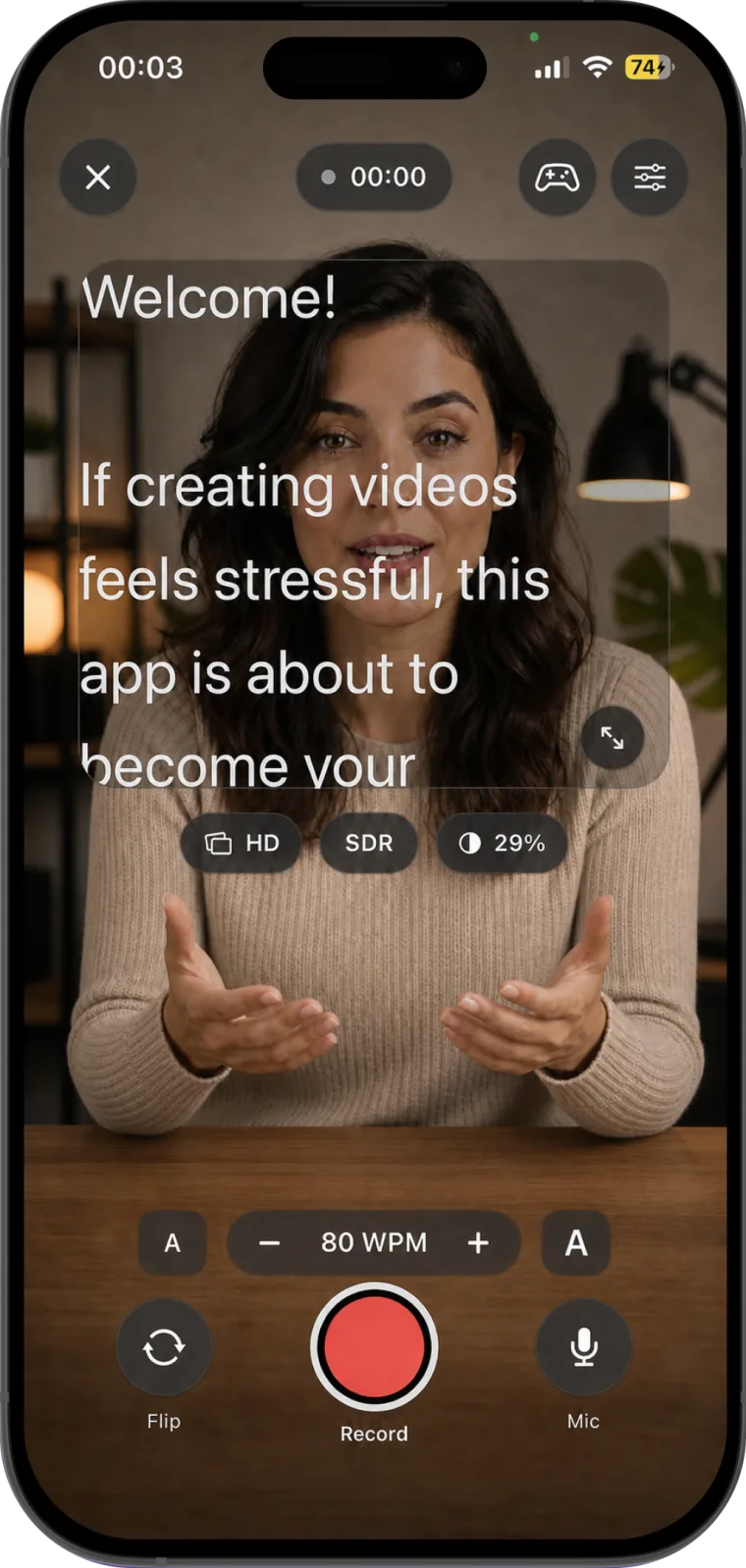
A script is not finished until it works at the lens. Teleprompter for video: Studio lets you create and organize scripts, adjust the words-per-minute speed and text size while recording, pause and resume, switch cameras, and edit the finished take. Read the first 20 seconds in the real setup, then revise the text before changing several technical settings at once.
For prompt positioning, rehearsal, and delivery technique after the script is ready, use the related guide to using Teleprompter for video: Studio for natural-looking videos.
If you are still choosing a recording setup, follow the one-device guide to reading a script while recording video on iPhone.
Common questions
Should you write every word for a teleprompter?
Write every word when exact wording, timing, or compliance matters. Use a short outline when you know the subject well and a fully scripted read makes your delivery less natural. A hybrid script can write the opening, key claims, transitions, and closing in full while leaving familiar examples as prompts.
How do you stop sounding robotic on a teleprompter?
Use spoken language, rehearse the meaning rather than memorizing the text, vary sentence length, add real pauses, and set a scroll speed that does not force you to chase the next word. If a line sounds robotic aloud, rewrite the line before trying to fix it with delivery.
How long should a one-minute teleprompter script be?
Use your tested speaking pace. Multiply your words per minute by one minute, then reduce the draft if it includes demonstrations or deliberate pauses. A timed rehearsal is more reliable than a generic word-count rule.