How to use Teleprompter for video: Studio for natural-looking videos
Set up Teleprompter for video: Studio with a comfortable reading speed, eyeline, script, and delivery for natural-looking videos.
A teleprompter should remove the pressure of memorizing—not make your delivery sound mechanical. The difference usually comes down to script structure, prompt position, reading speed, and a little rehearsal.
Write for speaking, not silent reading
Sentences that look polished on a page can feel unnatural aloud. Use the words you would choose in conversation, keep each sentence focused on one idea, and replace long clauses with clean pauses.
Read the draft once without recording. Whenever you run out of breath, lose the meaning, or instinctively change a phrase, edit the script to match how you actually speak.
Format the script into thought-sized pieces
Short paragraphs make it easier to find your place and preserve the rhythm of the message. Add a blank line where you want a noticeable pause. If emphasis matters, use a simple cue that will not distract you while the text moves.
- Keep paragraphs to one or two spoken thoughts.
- Spell out abbreviations that are awkward to read.
- Use punctuation to indicate real speaking pauses.
- Remove stage directions you do not need to see.
Place the words close to the camera
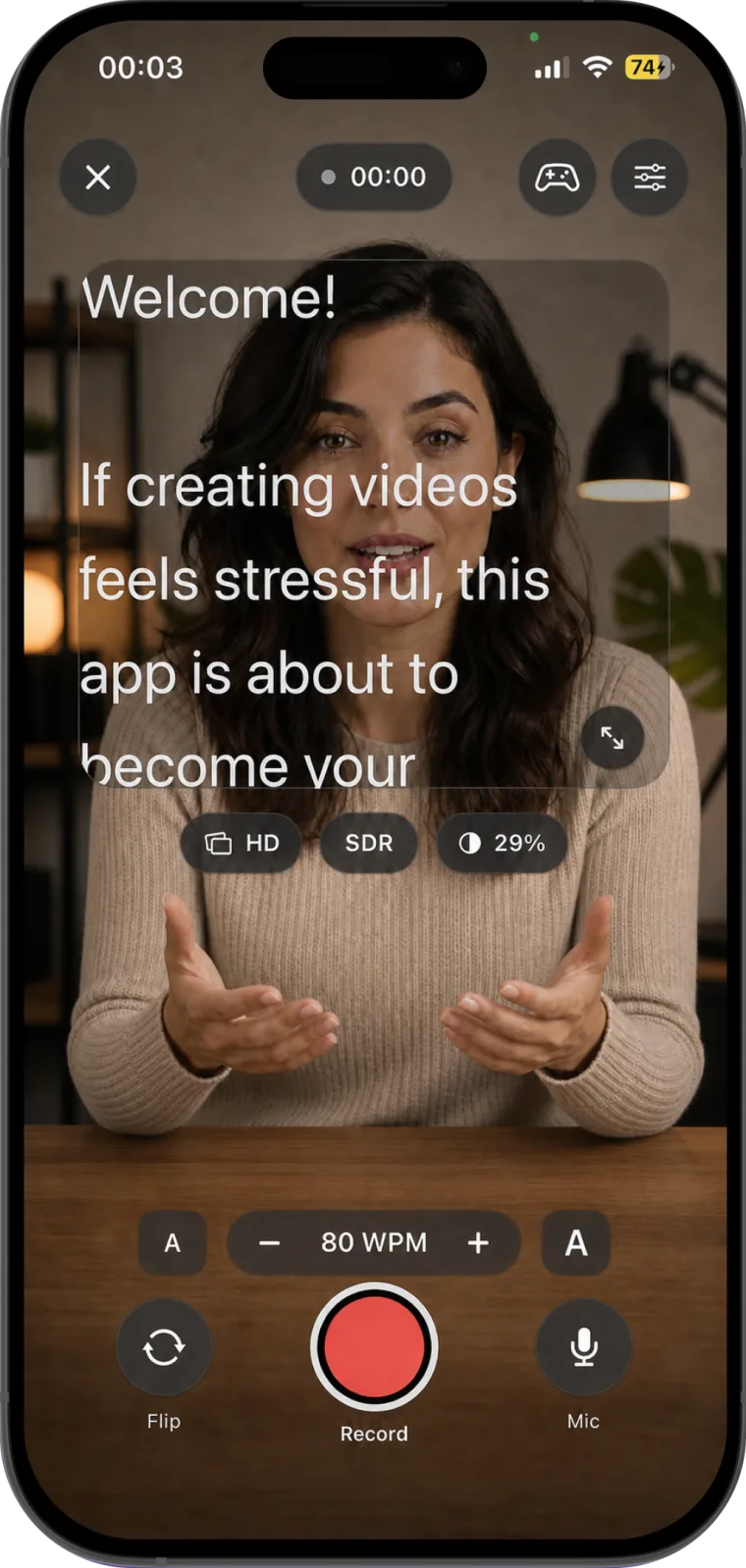
The farther your eyes travel from the lens, the more obvious it becomes that you are reading. Keep the prompt area narrow and near the camera. On a phone, position the device close to eye level rather than looking down at it from a desk.
Frame yourself first, then adjust the prompt so the most comfortable reading line sits near the lens. A slightly larger font is usually better than moving the text farther away.
Choose a speed slower than your first instinct
Start at a relaxed pace and record a short test. If you are waiting for every line, increase the words-per-minute setting gradually. If your expression becomes flat or you begin swallowing endings, slow it down.
The correct speed is the one that leaves enough attention for eye contact, breathing, and meaning. It may change between an energetic short video and a careful tutorial.
Look through the words
Do not try to lock your eyes onto every word. Read a small phrase, understand it, and say the idea to the viewer. Let your expression respond to the meaning rather than to the act of reading.
Natural glances away from the lens are not necessarily mistakes. Constant, perfectly fixed eye contact can feel less human than a relaxed delivery.
Rehearse the opening and closing
The first sentence establishes energy before you settle into the prompt, and the last sentence often contains the call to action. Practice those two sections enough that you can deliver them with minimal dependence on the screen.
Record a short technical test
- Check the camera height and background.
- Confirm that your face is evenly lit.
- Record 15 seconds at the intended prompt speed.
- Listen for rushed words, room echo, and clothing noise.
- Watch once with the sound off to evaluate your eyeline.
- Adjust one variable at a time and test again.
Make editing easier while recording
If you make a mistake, pause, return to the beginning of the sentence, take a breath, and repeat it cleanly. The quiet gap creates an obvious edit point. You do not need to restart a strong take because of one phrase.
Teleprompter for video: Studio keeps your script beside the camera while recording and provides controls for speed, text size, mirroring, pausing, cameras, and audio. After the take, you can organize and edit the recording in the same app.